Menu ordering with UPI payment is not live yet — it is coming soon. This article describes how it will work. What is live today, and has been since March 2026, is the Smart QR Menu: customers scan, browse your menu on their phone, and order with your staff exactly as they do now.
The question we get asked most on WhatsApp is whether customers can order straight from the vsite menu. Today the honest answer is no — they browse, then your staff take the order. Ordering with UPI payment is the next thing we are building, and because restaurant owners are planning around it, here is exactly what it will look like rather than a vague promise.
What You Can Do Today
- Customers scan a QR code or tap an optional NFC + QR sticker and your menu opens in about two seconds — no app
- Every dish carries an AI-matched photo, a description, and a live price
- Mark an item sold out and it greys out on every table immediately
- Tamil and English on the same menu, with dish names as you type them
- See which dishes customers actually open, in your menu analytics
That is the ₹299 product, and it is what the rest of this guide builds on. Your staff keep taking the order — vsite removes the printing, not the people.
How Ordering Will Work
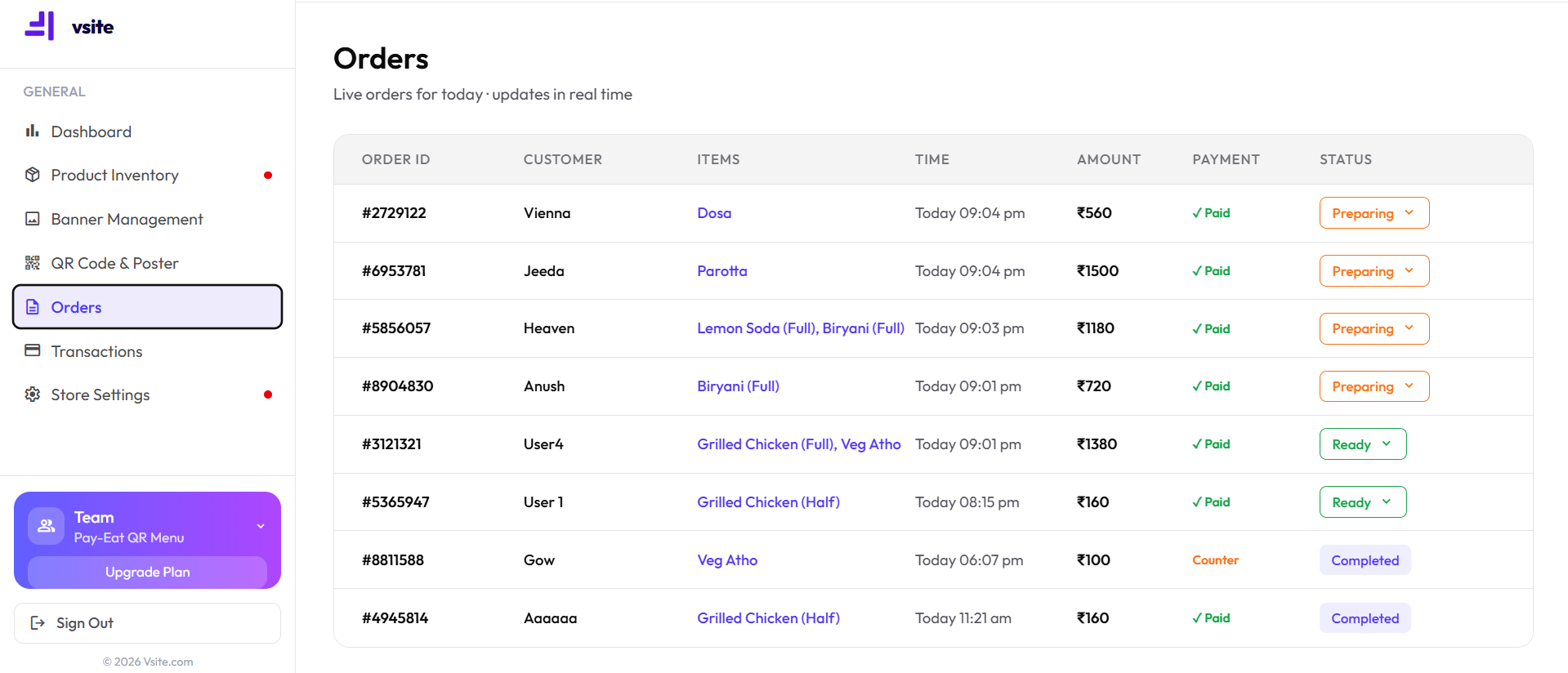
- Customer scans your QR code and browses the menu, exactly as they do today
- They add items and tap "Place Order" — the step that does not exist yet
- The order appears on your Orders screen with a notification
- You review it and tap "Accept"
- Kitchen prepares — you move it to "Ready" when the food is up
- Mark it "Fulfilled" to close the order and log the revenue
The Planned Order Statuses
| Status | Meaning | What you will do |
|---|---|---|
| Pending | Customer placed the order, not yet accepted | Review and tap Accept |
| Accepted | Kitchen is preparing | Wait — no action needed |
| Ready | Food is ready to serve | Bring it to the table and mark Fulfilled |
| Fulfilled | Order complete | Logged to revenue automatically |
Where UPI Payment Fits, and What Is Not Live Yet
Ordering and paying are two separate steps, and only one of them is waiting on us. You can already accept UPI at the table today by displaying a standard UPI QR from your bank or PSP — customers pay from PhonePe, GPay or Paytm with no POS machine and no card reader. That money goes straight to your account.
What is coming soon is UPI payment inside the menu itself, so the order and the payment happen in one flow instead of two. When it lands, vsite still will not sit between you and your customer’s money — there is no commission on our plan today and there will be none then.
Getting Ready For It
- Get your menu onto vsite now — when ordering launches it will work off the menu you already have
- Keep your sold-out toggles current; ordering makes stale availability much more expensive
- Put the QR code where people sit, not just at the counter
- Decide who watches the tablet at peak hours — that habit is the hard part, not the software
Frequently Asked Questions
Can customers order through vsite today?
Not yet. The Smart QR Menu has been live since March 2026 and restaurants across Tamil Nadu use it daily — customers scan, browse photos and prices, and then order with your staff as usual. In-menu ordering with UPI payment is coming soon.
When will ordering launch on vsite?
We have not announced a date. We would rather ship it late than sell you something that does not work — so the menu is what you pay ₹299 for today, and ordering will arrive as part of that plan when it is genuinely ready.
Will order management need a POS machine?
No. When ordering launches it will run entirely in the browser — no POS hardware and no printer required. You will manage everything from your phone or a tablet behind the counter, the same way you manage your menu today.