When you log into vsite, the first thing you see is your restaurant dashboard — a single screen that tells you everything important about your business today. Revenue, orders, customer count, and top sellers, all in real time.
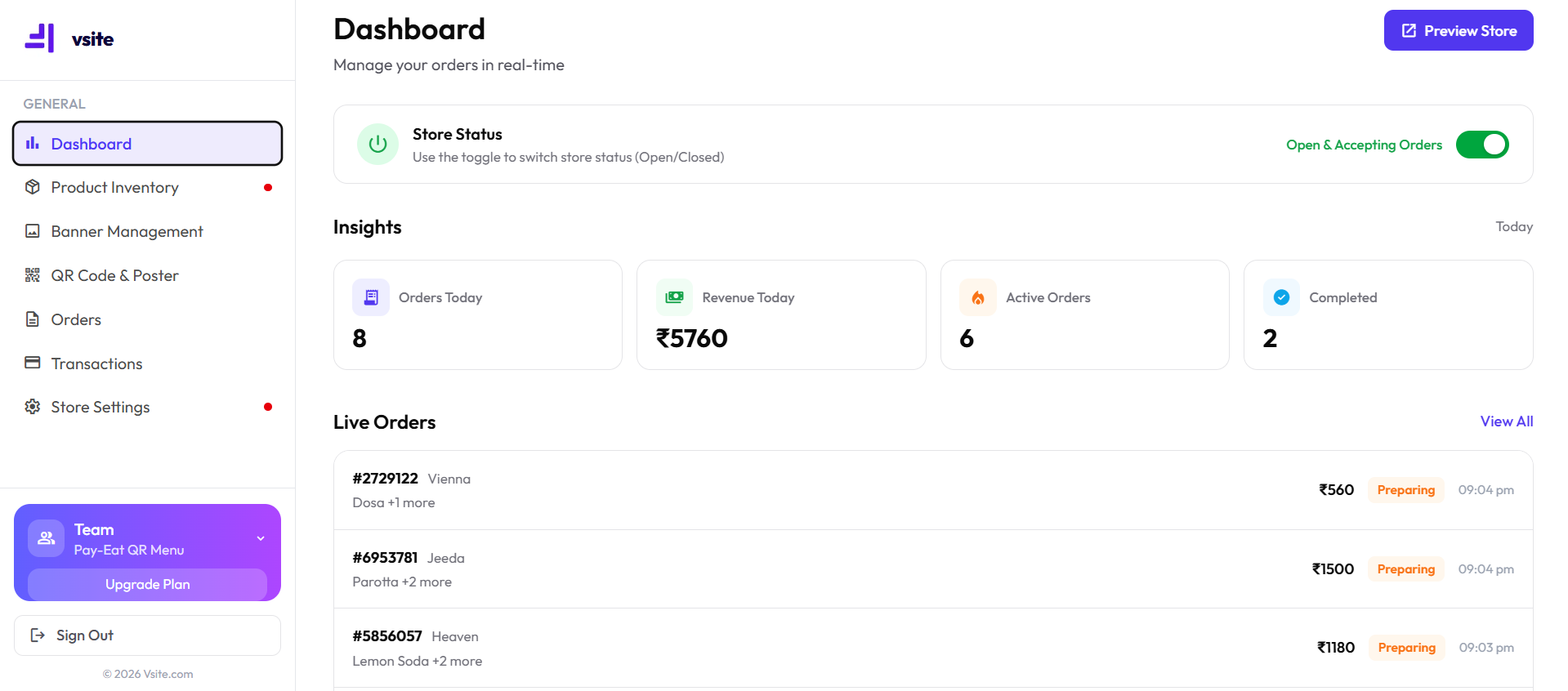
What You See on the Dashboard
- Today's total revenue — updated every time an order is placed
- Active orders count — how many tables or customers are currently ordering
- Total customer visits — footfall tracker for the day
- Top-selling items — ranked by order count
- Weekly revenue trend — a simple chart showing your last 7 days
- Out-of-stock alerts — items your team has marked unavailable
How to Read Your Dashboard Numbers
Revenue Widget
The revenue figure at the top of your dashboard is the total of all completed orders for today. It resets to zero at midnight. If you're running multiple locations, you'll see a location selector at the top — toggle between branches to compare performance.
Active Orders
Active orders shows you how many order sessions are open right now. A session starts when a customer scans your QR code and adds an item, and ends when you mark it fulfilled. If this number is higher than expected, it usually means a table's order hasn't been closed out yet.
Top Items Panel
The top items panel on the right shows your five best-performing menu items by order count. Use this panel weekly — it's the fastest way to spot what to feature in WhatsApp promotions, what to make a daily special, and what's not worth keeping on the menu.
Using the Dashboard to Grow Revenue
- Check your top items every Monday and feature the #1 item in your WhatsApp status
- Use the weekly trend chart to spot low-revenue days and plan promotions
- Monitor active orders at peak hours to catch bottlenecks before customers get frustrated
- Check out-of-stock alerts first thing every morning and update your menu before the lunch rush
Pro tip: a quick look at your dashboard each day is enough to spot a dish nobody opens. The data is only useful if you act on it.
Frequently Asked Questions
What does the vsite restaurant dashboard show?
The vsite dashboard shows today's revenue, active orders, total customer visits, and your best-selling menu items — all in real time. You can also see weekly trends and out-of-stock alerts from the same screen.
Do I need any training to use the vsite dashboard?
No. The dashboard is designed for restaurant owners with no tech background. Every number is labelled in plain English (and Tamil), and the interface loads in under 2 seconds on any smartphone.
Can I see which dishes sell the most on vsite?
Yes. The dashboard's Top Items panel ranks your menu items by order count and revenue. Use this to decide which items to promote, which to retire, and what to add to your specials.